Using Your Desktop After the Course Ends
One convenient aspect of DaDesktop is that participants can keep using their course machine for practice even after the course wraps up. Just before the course ends, participants get an email asking if they'd like to maintain access to their desktop once the course is over.
Typically, every participant's course desktop is deleted shortly after the course concludes. If you want to hold onto your desktop to continue practicing your lab work, you can clone it into a 'Standalone Desktop' for later use.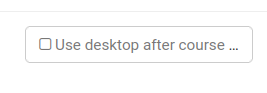
Please visit your Course and your Desktop machine, then click the 'Use desktop after course' button next to your machine.
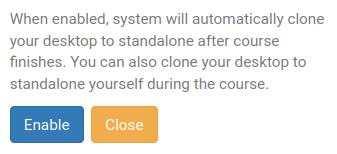
DaDesktop will then walk you through the straightforward steps and give you the option to 'Enable' this.
After enabling, you'll see the following beside your course machine.

Once the course finishes, you can get to your Standalone machine by clicking the Standalones menu at the top of the screen.
Any machine that hasn't been touched in a month will be removed, but users get an advance email warning so they can choose to keep their Standalone machines if they want.
For more information on managing the retention of your Standalone machine, check out this page.