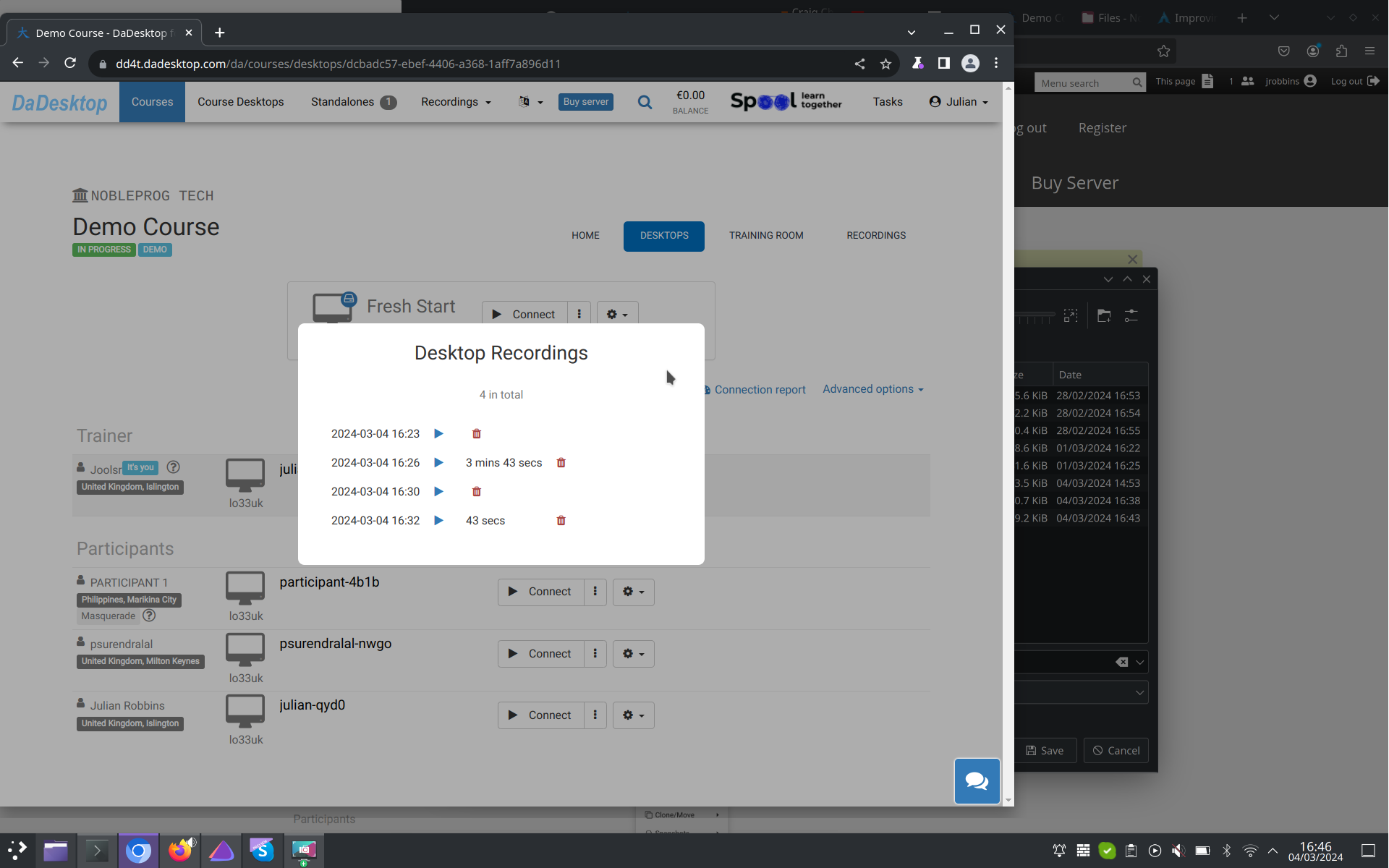
Auto-Session Recording
Your trainer's desktop gets recorded automatically the moment you step into the training room.
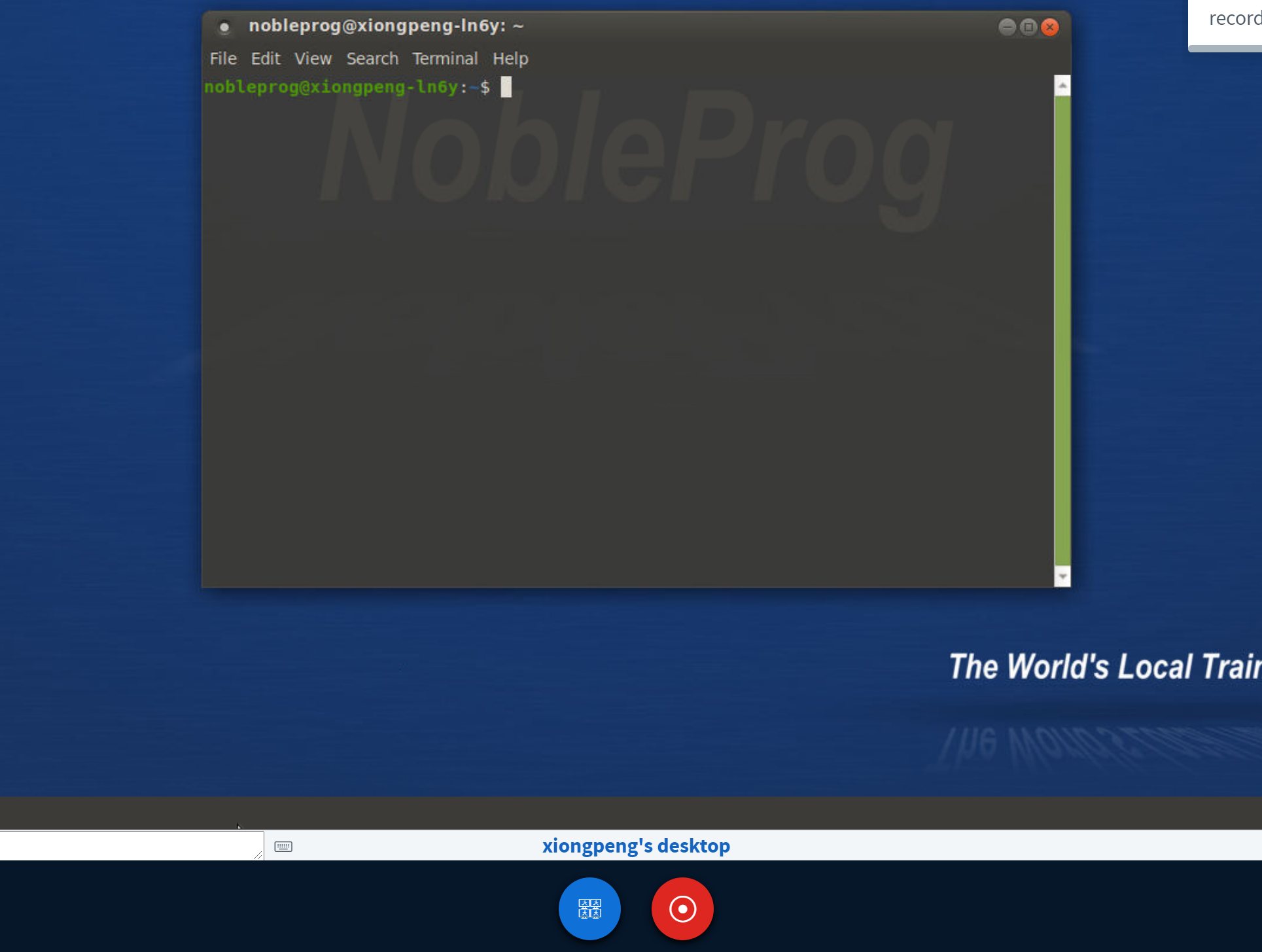
To stop the recording, simply tap the "red-recording" button once more.
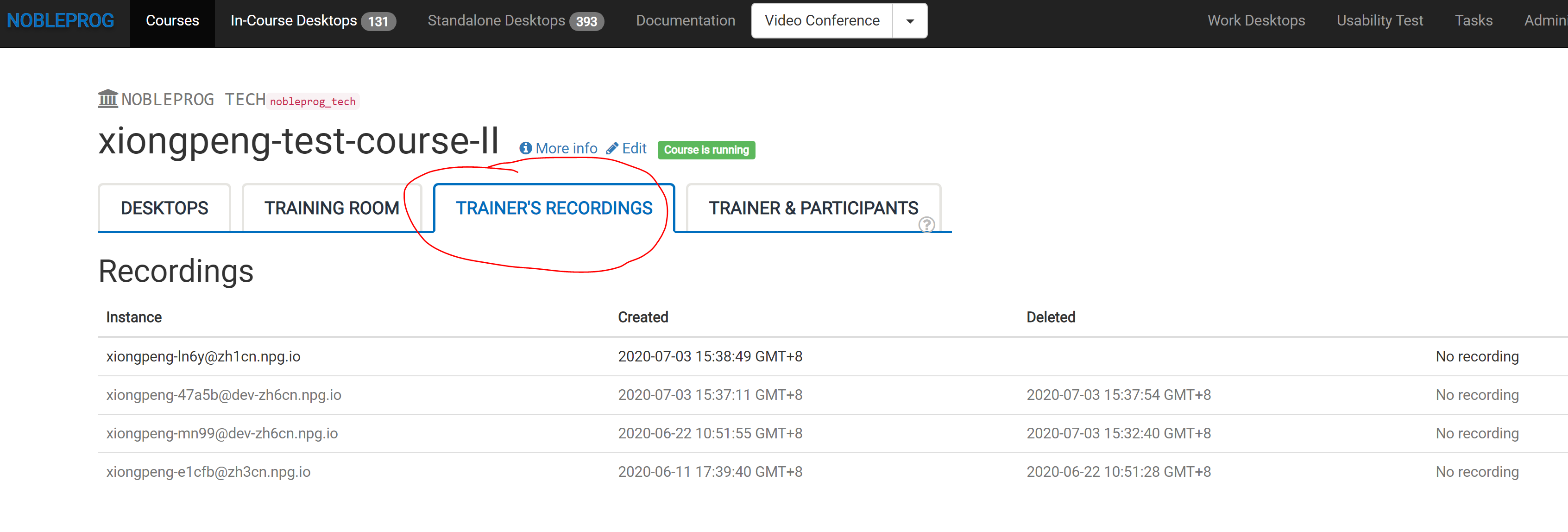
Find all your saved recordings under "Trainer's Recordings" within your course.
Check out the Auto-Session recording of the Trainer's Desktop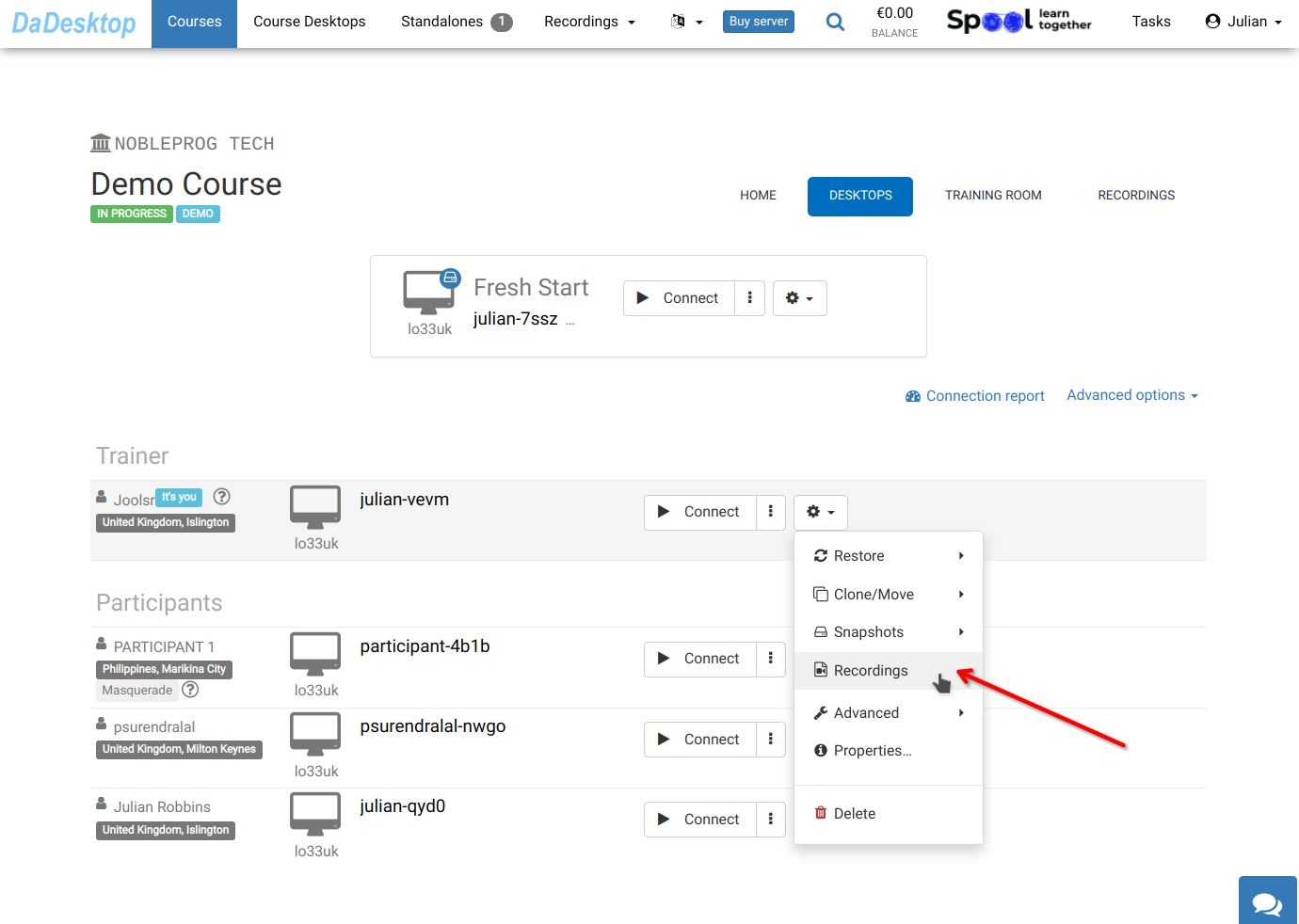
You can view your recordings inside "Recordings". If needed, you have the option to review and delete them.