Recycle Bin
Once a course finishes, all the course machines—Fresh Start, Trainer, and all participant machines—are automatically removed after a brief period.
A new feature lets you recover these machines from the 'Recycle Bin' for a while after they’ve been taken down. The restore window varies based on factors like server disk space and overall course usage; it isn’t fixed, but normally you can expect machines to be recoverable for at least a couple of months after course completion.
Each machine can be Restored back to its course if the course is still active; otherwise, you can Restore to a Standalone Desktop, or if you prefer, Deleted completely.
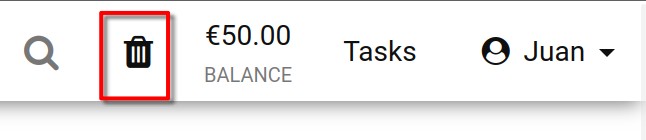
You can check the status of your Recycle bin by looking at the Recycle Bin icon. A black icon means there are machines that can be restored; if it’s greyed out, the bin is empty.
Additionally, you can search the list of machines in the recycle bin by name, server name, or course name.
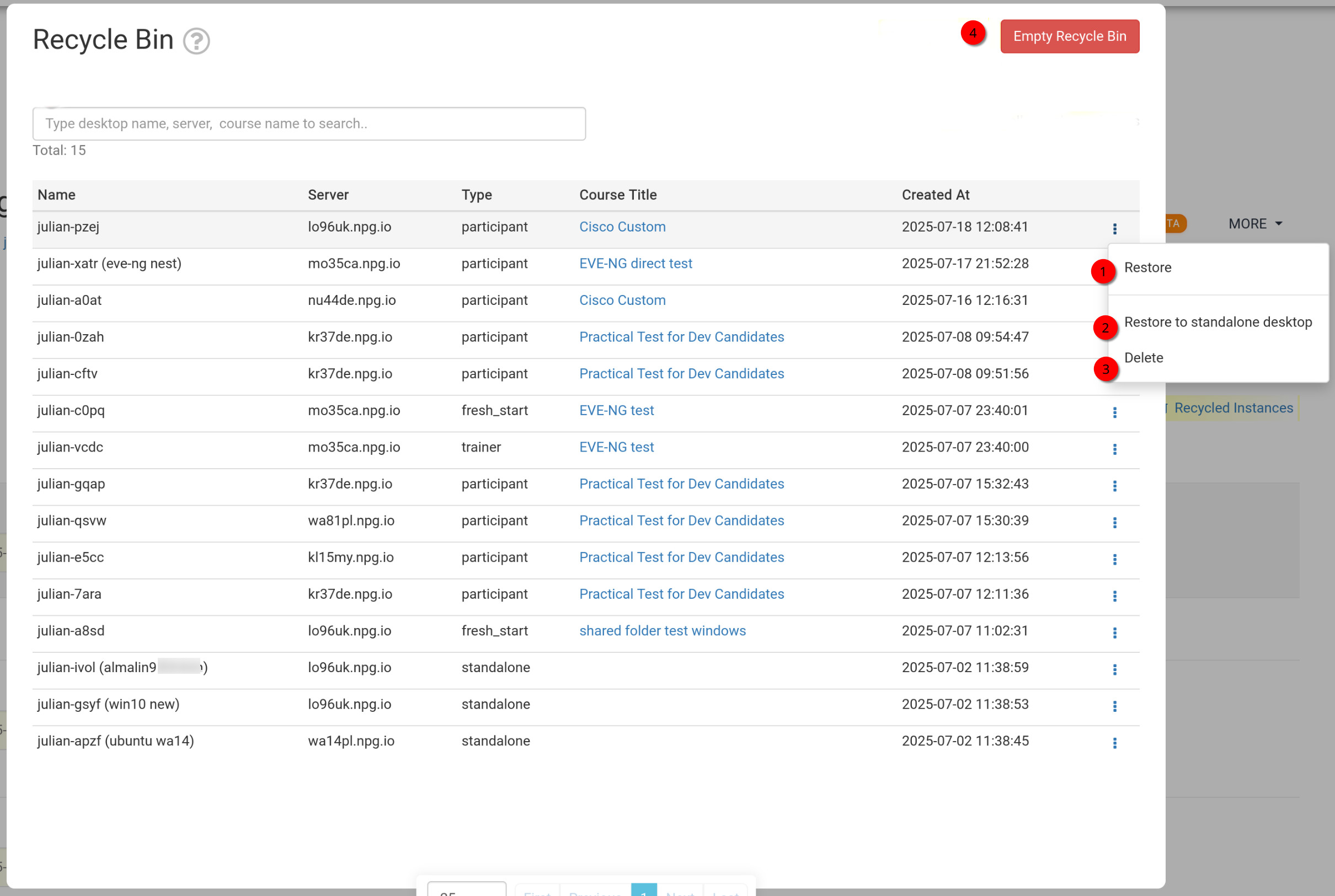
Restoring or Deleting Machines from the Recycle Bin
- Restore – This option brings back a machine that was removed from a course, placing it back into its original course. If the course is finished, you can only restore it as a Standalone machine instead (see next option).
- Restore to Standalone Desktop – Typically used when the course has ended and the machine can’t be restored there. It creates a standalone machine that you can keep as long as you need, offering greater flexibility.
- Delete – Permanently removes a machine from the Recycle Bin. Note that once deleted, the machine cannot be recovered.
- Empty Recycle Bin – Clicking the red Empty Recycle Bin button clears all your machines from the bin, and they won’t be recoverable afterwards.