My Account
Every user can modify several settings within their account.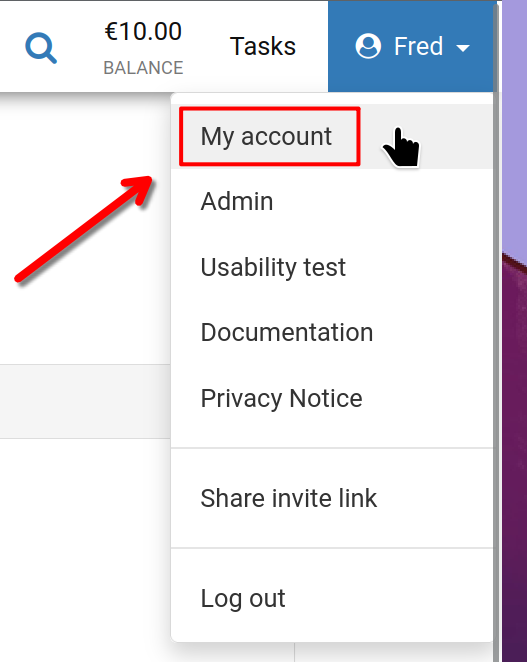
Begin by clicking your username in the top-right corner of the screen, then select 'My account' as illustrated.
My Account
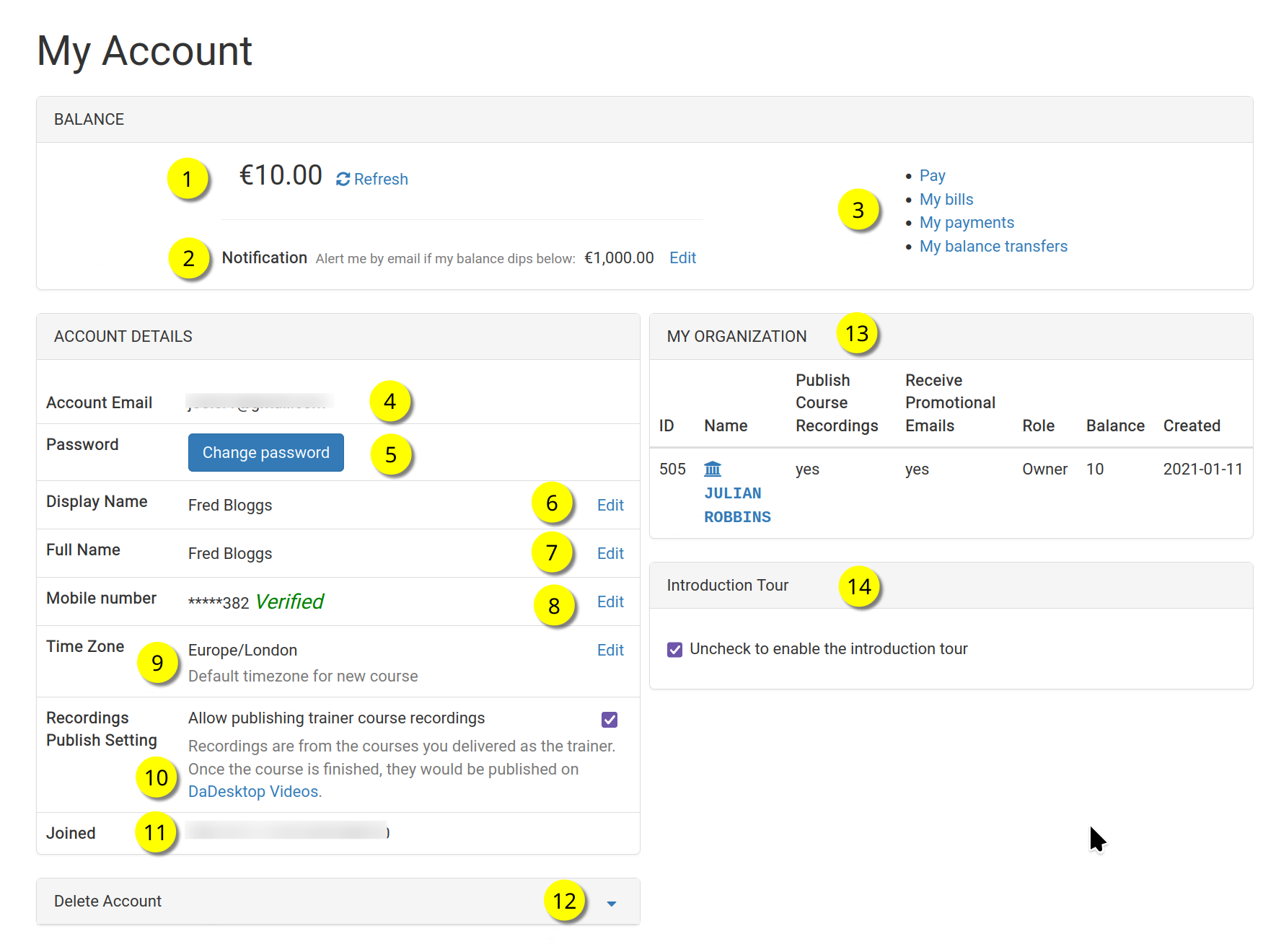
This is the 'My Account' page.
Refer to the numbered list below for a description of each feature.
Key
| Description | ||
|---|---|---|
| 1 | Balance | Displays the current balance of the user. |
| 2 | Notification | Users can receive an email alert when their balance falls below a specified threshold. This threshold is configurable by each user. |
| 3 | Billing Links | Here you'll find links to make a payment, check your balance, view past payments, and transfer balances. |
| 4 | Account Email | This field is not editable. |
| 5 | Password | Update your password in this section. |
| 6 | Display Name | This is the name shown to others, and it can be modified at any time. |
| 7 | Full Name | The user's complete name, also editable as needed. |
| 8 | Mobile Number | You can update your mobile number here. |
| 9 | Timezone | Set this to display times in your local time zone. |
| 10 | Recordings Publishing Setting | For Trainers, decide whether course recordings made on your machine can be published on the dadesktop.com/videos site. |
| 11 | Joined | The date you registered with DaDesktop. |
| 12 | Delete Account | To permanently remove your DaDesktop account, click this option. All associated data will be deleted. |
| 13 | My Organisation | Users can add an organisation to their profile. This section displays your organisation details. |
| 14 | Introduction Tour | Re-enable the guided tour by unchecking this box if you'd like to see it again. |