Remote Replica
The Remote Replica feature enables you to clone your Fresh Start Desktop onto a separate server, typically located elsewhere. After setup, all modifications to your original machine are silently and automatically mirrored in the background, requiring no further user involvement.
This capability proves highly versatile, with multiple practical applications. Two key uses are outlined below.
Note: At present, Remote Replica is exclusively available for Fresh Start machines, though it also functions within DaDesktop for work (DD4W) environments.
First: Create a Remote Replica (clone) of your Desktop on a server in a different data centre
As a precaution, you might choose to set up a Remote Replica on a server in an alternate data centre, ensuring that if the primary server becomes unavailable for any reason, you can seamlessly continue working from the replicated copy right where you left off.
Initially, your Fresh Start machine is hosted on the UK Data Center, such as bd3uk.
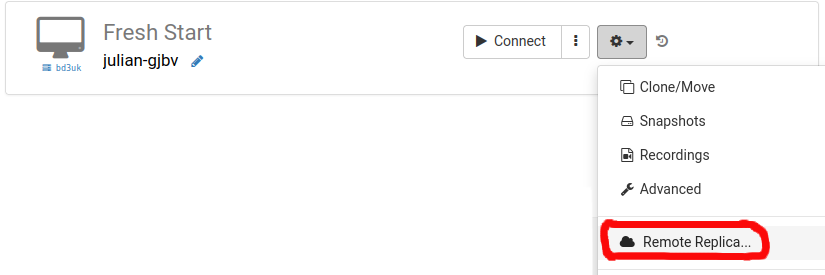
Pick the data centre where you want the Remote Replica to reside—ideally one distinct from your current server. You could even select a data centre in another country, such as Mexico.
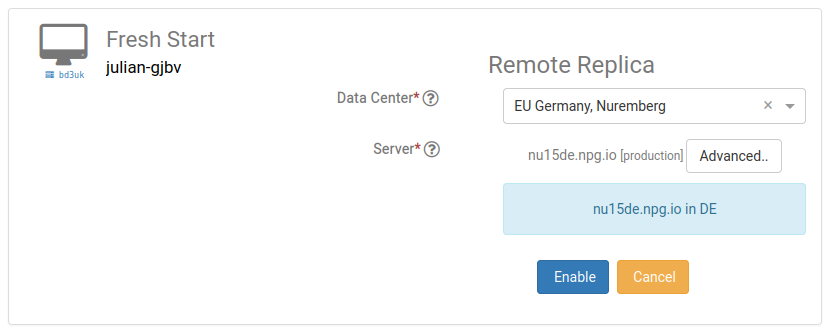
The replication process now commences. The duration will depend on the distance to the target server and the Desktop's total size. In the meantime, you may continue using your original machine as usual.
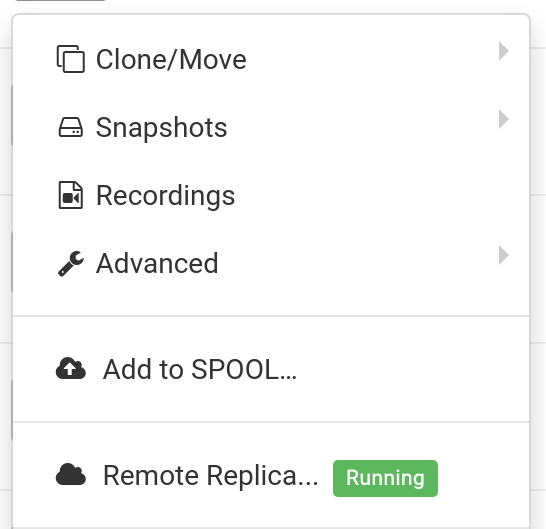
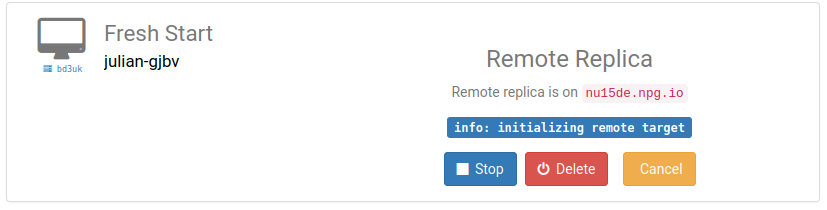
Restoring a Remote Replica
Should you lose access to your FreshStart Desktop for any reason, you can opt to restore a previously created Remote Replica.
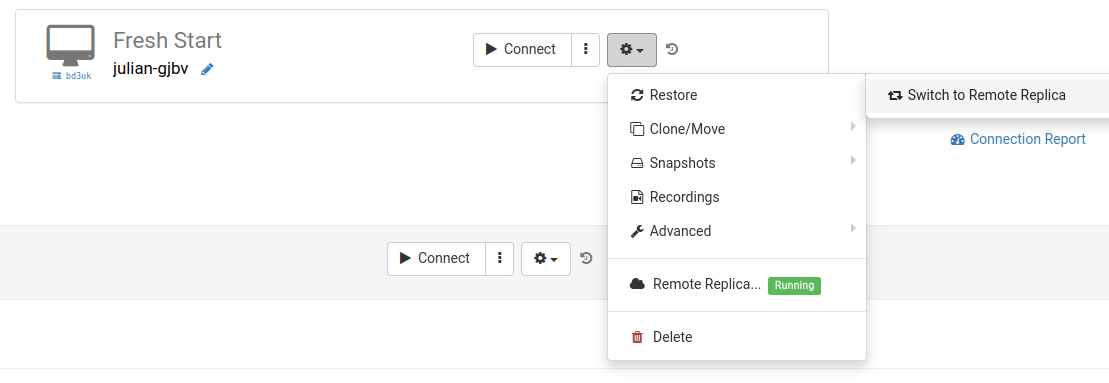
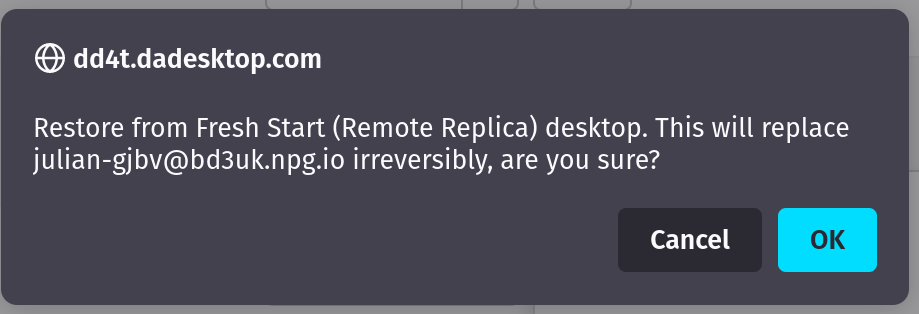
After activating the Remote Replica, you cannot revert to the original Desktop—but this is irrelevant since it's an exact duplicate.
Keep in mind that once you've switched, the replication process stops. To establish another replica, you'll need to repeat the initial setup steps anew.

Second scenario: Using Replica for FreshStart across different geographic regions to cut down on connection latency
This feature proves especially valuable when you require a replica of your Fresh Start machine nearer to your physical location while creating course content. For example, a trainer based in Germany might be delivering a course in South Africa—a frequent occurrence with DaDesktop, as the platform simplifies managing such setups.
In such a scenario, hosting the Fresh Start Desktop for course development on a South African server would introduce unacceptable latency. Instead, you create a Remote Replica hosted in Europe, keeping lag to a minimum. The replica stays continually synced with all your changes.
Once course preparation is complete, you can restore the Remote Replica onto a Trainer machine positioned in South Africa, enabling rapid copying to both the trainer and participant machines.