Managing Deletion Schedules for Standalone Machines
Why does the deletion schedule matter?
If you're using a Standalone machine to continue work on a previous lab from a course you've taken, or if you're a trainer preparing a course, you don't need to worry about it.
However, to better conserve system resources, any standalone machine inactive for more than a month will be automatically scheduled for deletion, with a 7-day advance notice.
You also have the option to cancel the scheduled deletion.
How to manually schedule deletion of a standalone machine.
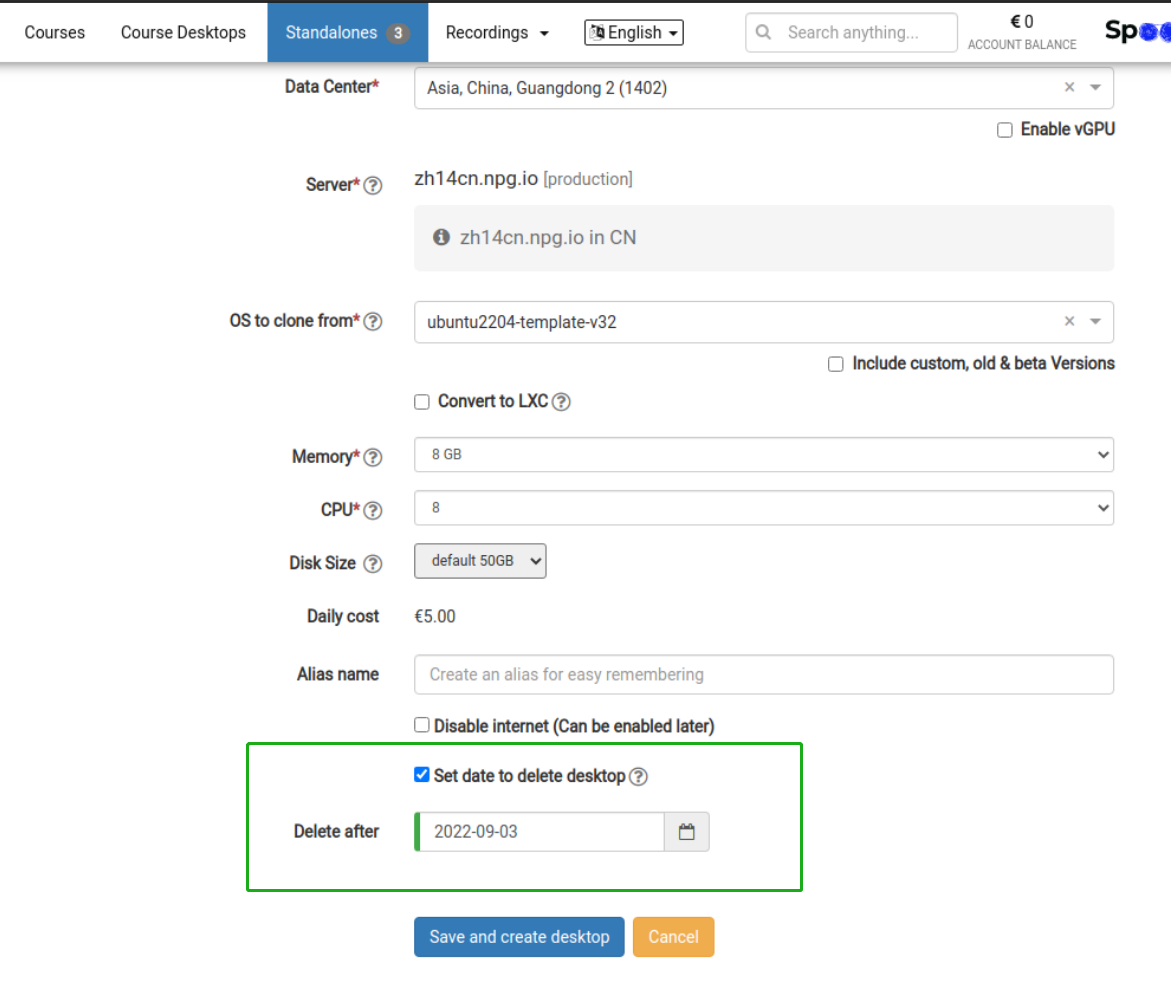
- When creating a standalone desktop, you can set a deletion date
-
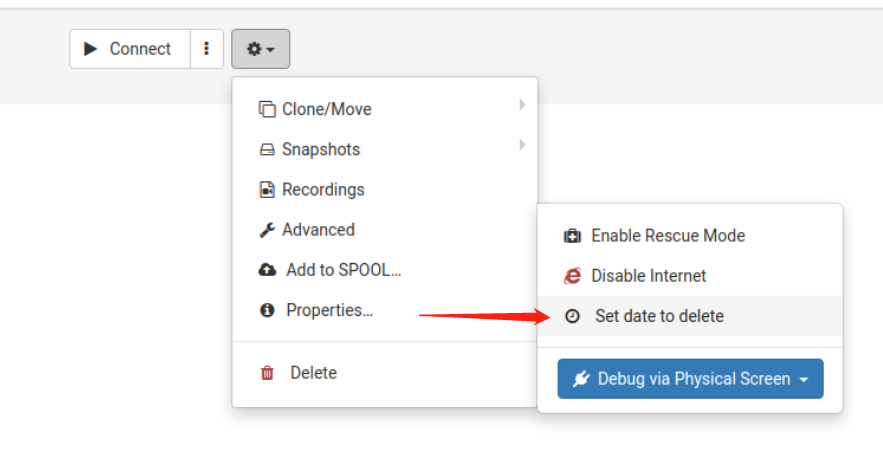
From the Options menu, schedule a date to delete the standalone
How to clear the scheduled deletion date
1. In the Options menu, click "Scheduled to delete on"
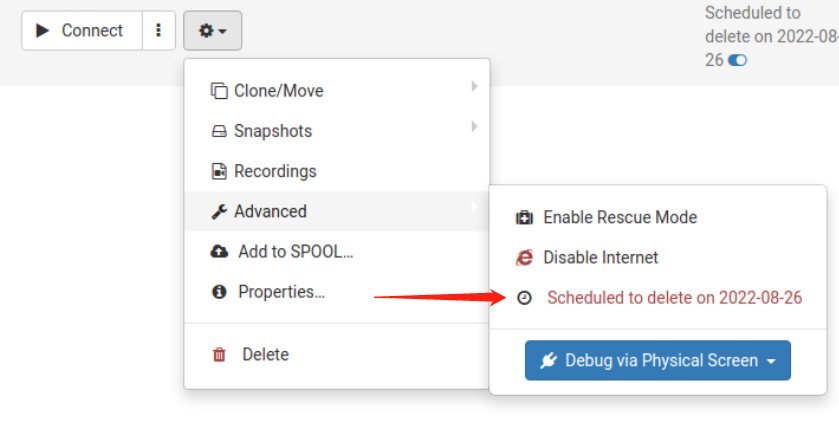
2. Hover over and click the blue toggle icon to quickly remove the scheduled deletion date
