Temporary Overallocation of Co-efficients
Access to this feature is limited to DaDesktop Private Server (DDPS) and DaDesktop On-Premise (DDOP) deployments.
As course complexity and processing demands grow—especially with nested virtualization or higher performance needed for numerous learner desktops—you might occasionally encounter an error like this:

This alert specifically targets CPU, memory, or disk space shortages. Your initial response should be to relocate your machine(s) to a less congested server or data centre, or dial down resource demands when feasible.
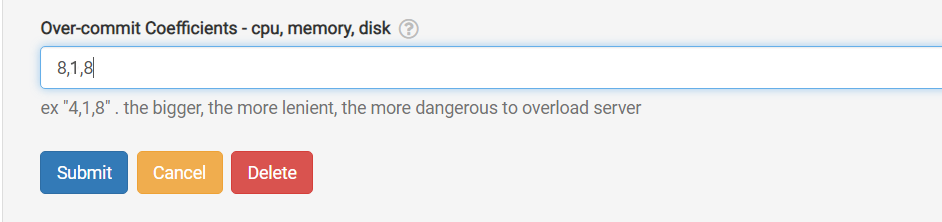
If neither route is possible, and the running units just barely exceed the standard limit, a fast workaround is to temporarily overcommit one or more of the CPU, memory, or disk coefficients. You can do this via the GUI as shown below.
Navigate to /da/admin/servers/all, select the Edit button for your server, then scroll to the relevant section.
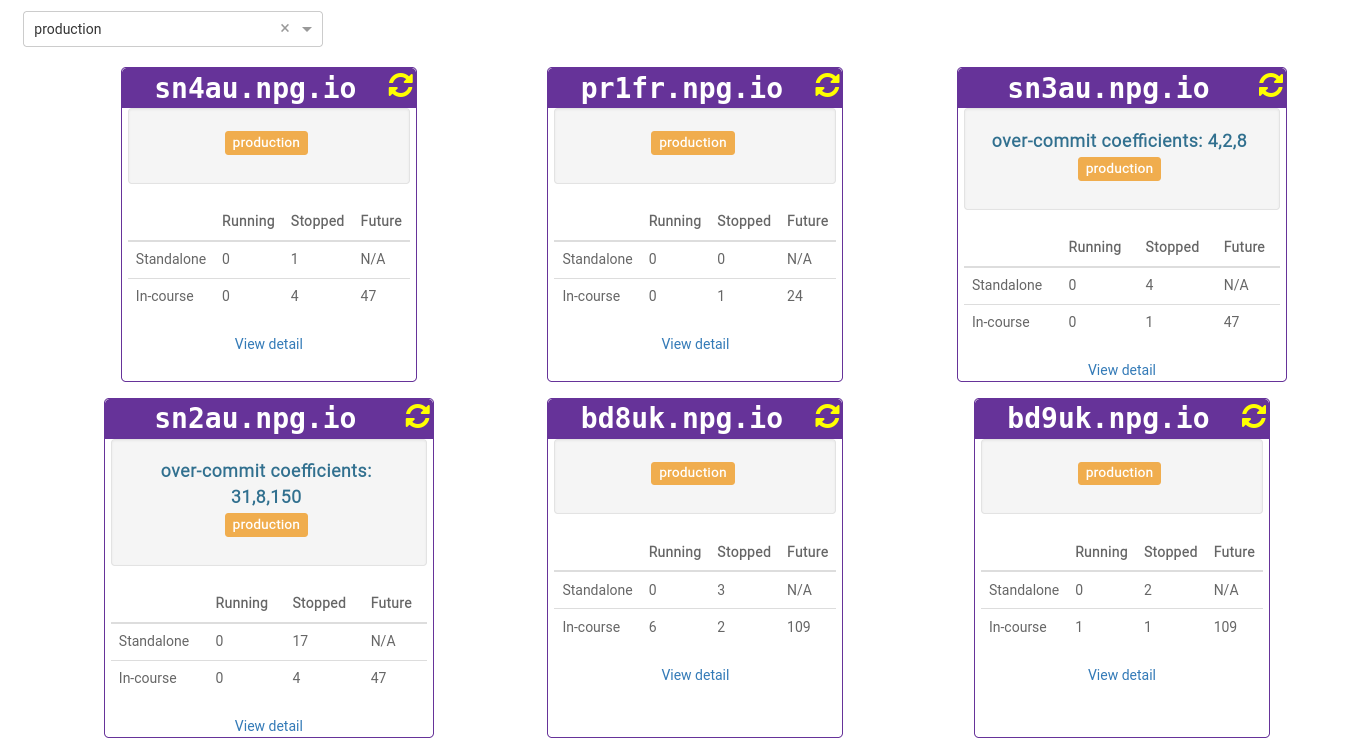
The server list also highlights servers currently employing overcommitted coefficients. This is handy when you need to clear these settings after a course ends, allowing coefficients to return to their defaults.
Treat any adjustments as a temporary workaround—not a permanent fix for insufficient resources. Revert all modifications at the end of the course to restore standard settings.
Requirements for DaDesktop On-Premise
This overcommitting capability relies on tpapi, a component of the DaDesktop codebase. Currently, tpapi only works with Python 3.12, meaning the operating system must be at least Ubuntu 23.10.