Work Desktop Management
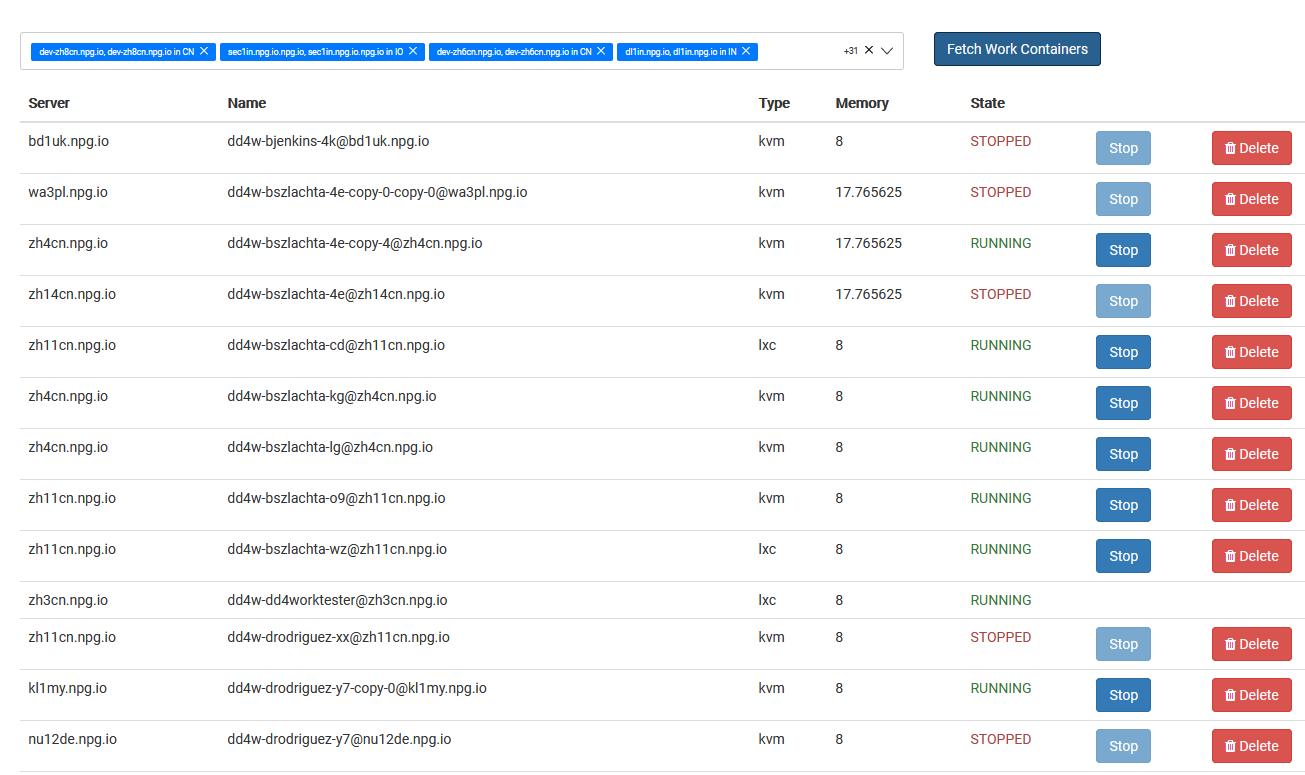
From the Managing Work Desktops page, Super Administrators can oversee all DaDesktop for Work desktops in a single view. These work desktops, intended for long-term use, are allocated to individual users, offering them secure, uninterrupted access to their desktop environment.
Work Desktop List
The page lists all work desktops along with their status and essential details, enabling administrators to swiftly recognize each desktop, keep an eye on availability, and take management actions as needed.
Available Actions
Based on a desktop’s current state, administrators can carry out management operations right from the interface. These tasks support the upkeep of work desktops over their entire lifespan, while guaranteeing that users retain access to their designated environments.
Administration
Managing Work Desktops offers a unified dashboard for overseeing work desktop resources. This streamlined approach lets Super Administrators monitor and control user work desktops from one place, without interfering with other desktop types reserved for training or standalone use.